Playcenter Software: A Buyer’s Guide for Indoor Play and Soft Play Operators
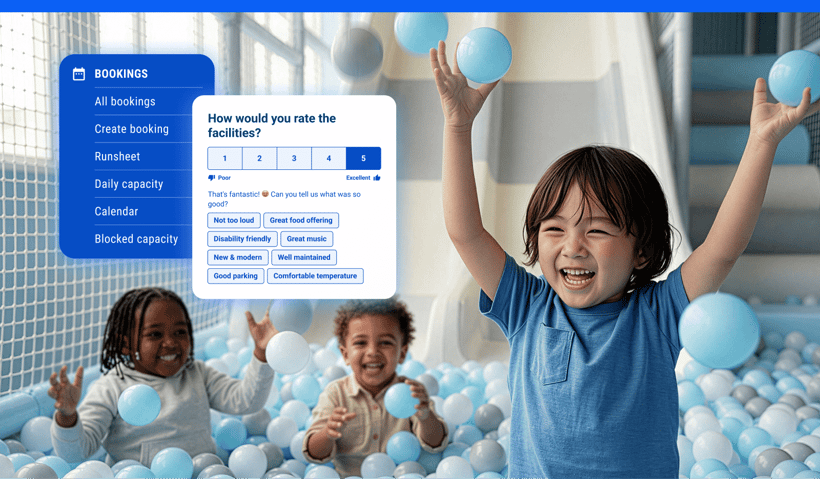
Playcenter software is built specifically for kids venues like indoor playgrounds and soft play centers, simplifying everything into just one system that handles everything from bookings to check-in.
But not all platforms are built the same. Some struggle to scale as your venue grows, others require workarounds for party management, and many don’t properly connect bookings, waivers, and POS.
This guide walks you through what to look for in playcenter software, what to avoid, and how to find a system that supports your venue’s operations.
What is playcenter software?
Playcenter software brings your day-to-day operations into one system, including online bookings, party scheduling, digital waivers, capacity tracking, payments, and reporting. Instead of juggling multiple tools, you run your whole venue through a single platform built for high-volume family traffic
If you’re hosting a small community playgroup or running a drop-in program with minimal scheduling complexity, a basic booking tool might be enough. But if your operations include party packages, walk-in traffic, school groups, memberships, and holiday programs, , a generic system may start to fall short.
The right kids playcenter software keeps up with your operational rhythm and makes it feel manageable, even on your busiest days.
Common challenges playcenter software solves
Most operators don’t start looking for new software until operational friction becomes hard to ignore. As bookings increase and party volume grows, manual processes and disconnected tools begin to create avoidable stress for both staff and guests.
Here are some of the most common challenges purpose-built playcenter software helps address:
Booking chaos
Many playcenters accept reservations through a mix of phone calls, emails, social messages, and website forms. When booking details are stored in separate places, information gets scattered and double bookings become more likely. Instead of running your venue, staff spend time chasing confirmations and fixing preventable mistakes.
Example: Weekend booking confusion
A parent books a birthday party through your website. Later that day, another staff member manually adds a walk-in party to the same room using a spreadsheet. On Saturday morning, two families arrive expecting the same space.
With purpose-built playcenter software, bookings are centralized and availability updates in real time. Guests can book online themselves, rooms are automatically assigned, and double bookings are prevented before they happen.
Party management
Birthday parties are often one of the highest-value bookings at a playcenter. They also involve multiple moving parts, including room assignments, guest counts, deposits, and add-ons. Without structured workflows, scheduling conflicts and last-minute confusion become much more likely.
Example: Multi-party management
Four birthday parties are scheduled for Saturday afternoon. One family adds extra guests the night before, another orders food during check-in, and staff are trying to remember which party has which room.
Playcenter software keeps everything organized by linking party bookings, room assignments, deposits, and guest counts in one system. Staff can quickly see who is assigned to each space and what add-ons are included.
Read more: A Guide to Hosting Memorable Themed Parties at Playcenters
Waiver tracking and compliance
Paper waivers can get lost, smudged, or left unsigned. In venues where kids are participating in physical activities, accurate waiver collection is essential for both safety and liability management.
Example: School group waivers
A school group arrives with 25 children, but only 15 waiver forms were completed. Staff scramble to collect signatures while a line builds behind them.
Digital waivers allow parents or guardians to sign forms before arriving. The software links each waiver to the booking, so staff can instantly see who has completed the required paperwork.
Front-desk bottlenecks
Front-desk bottlenecks slow everything down for both guests and staff. When employees are juggling a check-in queue, answering phones, and processing payments on systems that don’t connect, wait times increase and mistakes happen more often.
Example: Busy weekend flow
On a busy Saturday morning, a line forms at the desk while staff switch between a payment terminal, a spreadsheet of bookings, and a separate waiver tablet. Guests wait while staff piece information together.
With integrated playcenter software, bookings, waivers, and payments appear in one place. Staff can check guests in quickly, process add-ons, and keep lines moving during peak periods.
Core features to look for
When you're comparing platforms, it helps to think about how each feature supports your day-to-day operations. The right system should simplify your workflows, reduce manual effort, and make it easier for staff to deliver a smooth guest experience.
Here are the core features most playcenters rely on:
|
Feature |
Why it matters for playcenters |
|
Allows guests to reserve sessions and parties 24/7, reducing front desk workload and capturing revenue outside business hours. |
|
|
Organizes room assignments, guest counts, deposits, and package selections in one place, helping avoid overlaps and last-minute confusion. |
|
|
Speeds up check-in and ties signatures directly to bookings for easier record keeping. |
|
|
Connects payments, bookings, and guest records in one system, reducing the need to switch between tools during busy periods. |
|
|
Helps manage session limits and room occupancy, keeping attendance within safe and comfortable thresholds. |
|
|
Provides visibility into booking trends, party performance, peak times, and revenue sources so you can make informed decisions. |
|
|
Centralizes reporting and standardizes processes if you operate more than one venue, while still allowing location-level flexibility. |
The specific mix of features you need will depend on your venue size, programming model, and growth plans, which is why it’s important to evaluate software based on how you actually operate, not just what looks good in a demo.
Playcenter software by venue type
Small indoor playgrounds
If you run a smaller venue with a few daily sessions and limited party rooms, you likely don’t need complex tools. However, you do need reliable booking, payment, and waiver functionality. Starting with a system that keeps your data centralized makes it easier to expand later, whether that means adding programs, more sessions, or additional revenue streams.
Read more: How to Compare Indoor Playground Software
High-volume soft play centers
Larger, high-traffic soft play centers face a different set of challenges. Multiple sessions running simultaneously, large party bookings, and walk-in traffic on top of reservations can leave staff stretched across check-in, floor supervision, and food service. In these environments, real-time capacity-tracking and automated check-in workflows help keep operations steady and reduce stress on your team.
Multi-location venues
Multi-location operators need centralized reporting above everything else. If you're pulling data manually from two or three sites to make business decisions, you're likely losing time and probably missing patterns. Software that centralizes reporting, pricing, and guest data across locations allows you to maintain consistency while still giving individual sites operational flexibility.
How to evaluate playcenter software
Comparing playcenter management software can feel overwhelming, especially when many platforms appear similar on the surface. Breaking your evaluation into clear categories helps you focus on what truly impacts your day-to-day operations.
Here are the areas to assess during demos and trials:
Ease of use
Your team should be able to learn the system quickly. Ask:
- Can staff learn the core workflows without weeks of training?
- Is the interface clear enough that a new hire could navigate it confidently during a busy shift?
Bookings and reservations
Online booking is often the first guest touchpoint. Consider:
- Does it support online bookings with deposits or full prepayment?
- Can guests book without calling the venue or waiting for a confirmation email?
- Does it show real-time availability and prevent double-bookings automatically?
Party and group management
- Can it handle multi-room party packages with assigned spaces and guest counts?
- Does it manage advance payments and balance collection for groups?
- Can guests self-select food options and complete waivers while booking, without having to call your venue?
Waivers and check-in
- Are digital waivers collected before arrival and linked directly to bookings?
- Can staff see waiver status, booking details, and payment in one view at check-in?
Payments and point-of-sale (POS)
- Does the payment system connect to your bookings, or does it sit separately?
- Can it handle walk-ins, add-ons, and refunds without switching between tools?
Reporting
- Can you see bookings, revenue, and capacity data without exporting a spreadsheet?
- Does it surface trends over time, or just show you what happened today?
Support and onboarding
- Is onboarding included, or is it an add-on?
- Is support available during your actual operating hours?
Pricing and contracts
- Are all the features you need included in the base plan, or gated behind upgrades?
- Are contract terms flexible enough to suit where your venue is right now?
When you get to the demo stage, make sure to check the features you’ll use most.. For example, run a simulated party booking, check how check-in works during a peak session, and generate reports you would need regularly.
Common mistakes when choosing playcenter software
Choosing event software instead of venue software
Platforms built for conferences, ticketed events, or general activity bookings can look similar to playcenter software on the surface. They handle reservations, send confirmations, and process payments. But they're not designed for the session-based, group-heavy, waiver-dependent workflow of a kids venue.
The gaps show up quickly. Event platforms often can't manage simultaneous sessions across multiple rooms, handle capacity limits tied to specific zones, or link waivers to individual bookings automatically. Operators end up building workarounds inside a system that was never meant to support them. If a platform isn't built with indoor playgrounds or soft play centers in mind, it's worth asking what you'll be customizing before you commit.
Ignoring party workflows during evaluation
Birthday parties and group events are often the highest-margin bookings a playcenter takes, and also the most logistically complex. Room assignments, guest counts, package selections, deposits, and waiver compliance for large groups all need to work together without manual intervention.
A platform that handles simple reservations well can still struggle with the specific demands of party coordination. Before committing, check how the platform handles online party bookings, room conflicts, late additions to a guest list, and split payments.
Overlooking reporting and analytics
Reporting often gets less attention during software demos because booking flows and checkout screens feel more urgent. But without clear data, it's difficult to know which session times consistently fill, which party packages perform best, or where revenue is being left on the table.
When evaluating platforms, look beyond whether reporting exists and ask what it actually shows you. Can you track utilization over time? Compare revenue across periods? Filter by booking type? Operators who can answer those questions make faster, more confident decisions as their venues grow.
Read more: Your Guide to Boosting Revenue through Data-Driven Decisions
Next steps
Choosing the cheapest tool that solves today’s problem can seem practical in the short term, but switching platforms later often means additional costs for migrating data, retraining staff, and rebuilding processes.
It’s worth stepping back and thinking about where your venue is headed over the next 12 to 24 months. If you’re planning to add additional activities, open a second location, or expand your offering, look for software that can grow with you.
Platforms like ROLLER combine online bookings, POS and payments, digital waivers, party and group management, membership tools, guest communication, and multi-location reporting in one connected system. Whether you’re opening your first soft play center or scaling an established brand, the right software helps you streamline operations, save time, and delight guests.
Book a demo to see how ROLLER can support your playcenter from day one.
Frequently asked questions about playcenter software
What does playcenter software do?
Playcenter software helps operators manage the day-to-day operations of indoor playgrounds and soft play centers, covering online bookings, party scheduling, digital waivers, payments, and capacity controls in one system.
How is playcenter software different from general event software?
Unlike general event software, playcenter software is built for the ongoing demands of a kids venue, handling simultaneous sessions, party room coordination, capacity limits, and waiver compliance for groups in ways that general tools weren't designed to support.
What features should playcenter software include?
Playcenter software should include online bookings with deposit support, party and group management, digital waivers, POS integration, capacity controls, and reporting. Multi-location support and guest communication tools are worth prioritizing if you're planning to grow.
Can playcenter software support multiple locations?
Yes, playcenter software can support multiple locations. Most modern platforms, including ROLLER, include centralized reporting, shared guest profiles, and consistent booking settings across sites, making it easier to manage performance and guest experience as you expand.
How much does playcenter software cost?
Playcenter software is typically priced on a subscription basis, scaling with your venue size and number of locations. To learn more about ROLLER's pricing, book a demo to walk through your setup and see exactly what's included.
Related articles

.webp)

.webp)
.jpg)
.jpg)