Running a bowling center means wearing many hats at once, often all in the same hour. On any given day, you may be juggling lane reservations, birthday parties, league schedules, food and beverage orders, waiver collection, and front desk check-ins. It is a lot for any team to manage, especially when they’re using outdated systems that don’t talk to each other.
Bowling alley management software is a centralized platform that connects online booking, POS, memberships and leagues, waivers, CRM, analytics, and more into one system.
Choosing the right platform can shape your daily operations and support long-term growth. We’ll walk you through everything you need to consider including essential features and evaluation criteria to help you choose the best bowling alley software for your business.
What is bowling alley software?
Bowling alley software is a unified system that replaces disconnected tools and spreadsheets, letting you manage bookings, parties, POS, waivers, memberships, CRM, analytics, and multi-venue controls from one platform.
For staff, this means fewer manual steps and less room for error, while guests enjoy faster checkouts, self-service options, and a smoother experience from booking to departure.
Key benefits include:
- Higher online conversions
- Simpler operations at the front desk and in the back office
- Faster service during peak hours
- Fewer errors from staff manually retyping information
- Stronger visibility into revenue, attendance, and lane utilization
- Better guest relationships through automated guest feedback and communication
Essential features to look for in bowling alley software
When researching bowling alley software, focus on features that truly drive business impact. The right platform helps you sell more online, serve guests faster, and clearly see what is working inside your operation.
Online booking
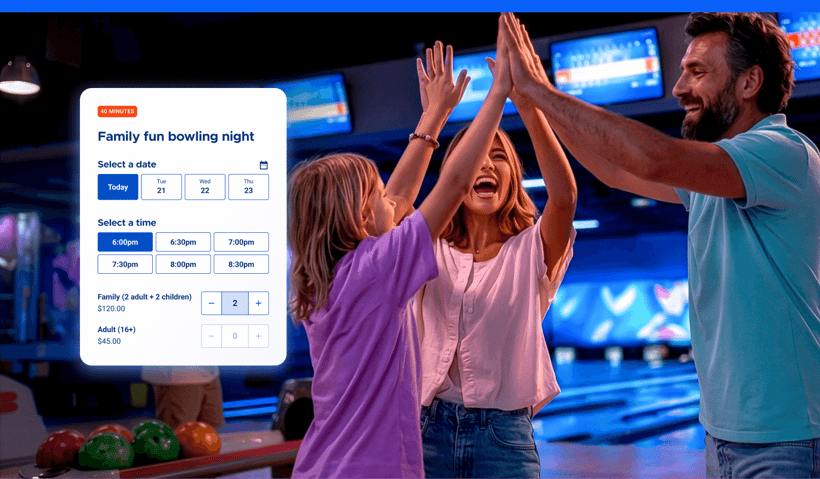
Online bookings make it simple for guests to reserve lanes, parties, and packages from any device in just a few steps. Look for a platform that offers flexible time slots, real-time availability, seamless bundles and add-ons, and automated confirmations.
Point of sale (POS)
A strong POS is easy for staff to use and reliable during busy periods. Key capabilities include tabs, split payments, combo items, barcode scanning, cashless payments, and integration with your booking system so staff can easily view reservations and offer upgrades during check-in.
Flexible payments
Support for multiple types of payments reduces friction and helps guests say yes more often. Look for a system that supports flexible payment types including digital wallets, and manages refunds and chargebacks without complex workarounds.
Read more: Payment Trends That Will Shape 2026: Insights from the Attractions Industry Benchmark Report
Digital waivers and faster check-ins
Digital waivers cut paper clutter and shorten lines at the counter. Helpful features include waiver links sent during booking, group signing for parties, automatic record matching, and fast verification on arrival so guests can head straight to their lane or party room.
Self-service kiosks
Self-service kiosks relieve front-desk pressure during peak times. Guests can sign waivers, check in, buy or reload cards, or start an order without waiting on staff. This frees your team to focus on welcoming people rather than manually entering information.
Memberships and league management
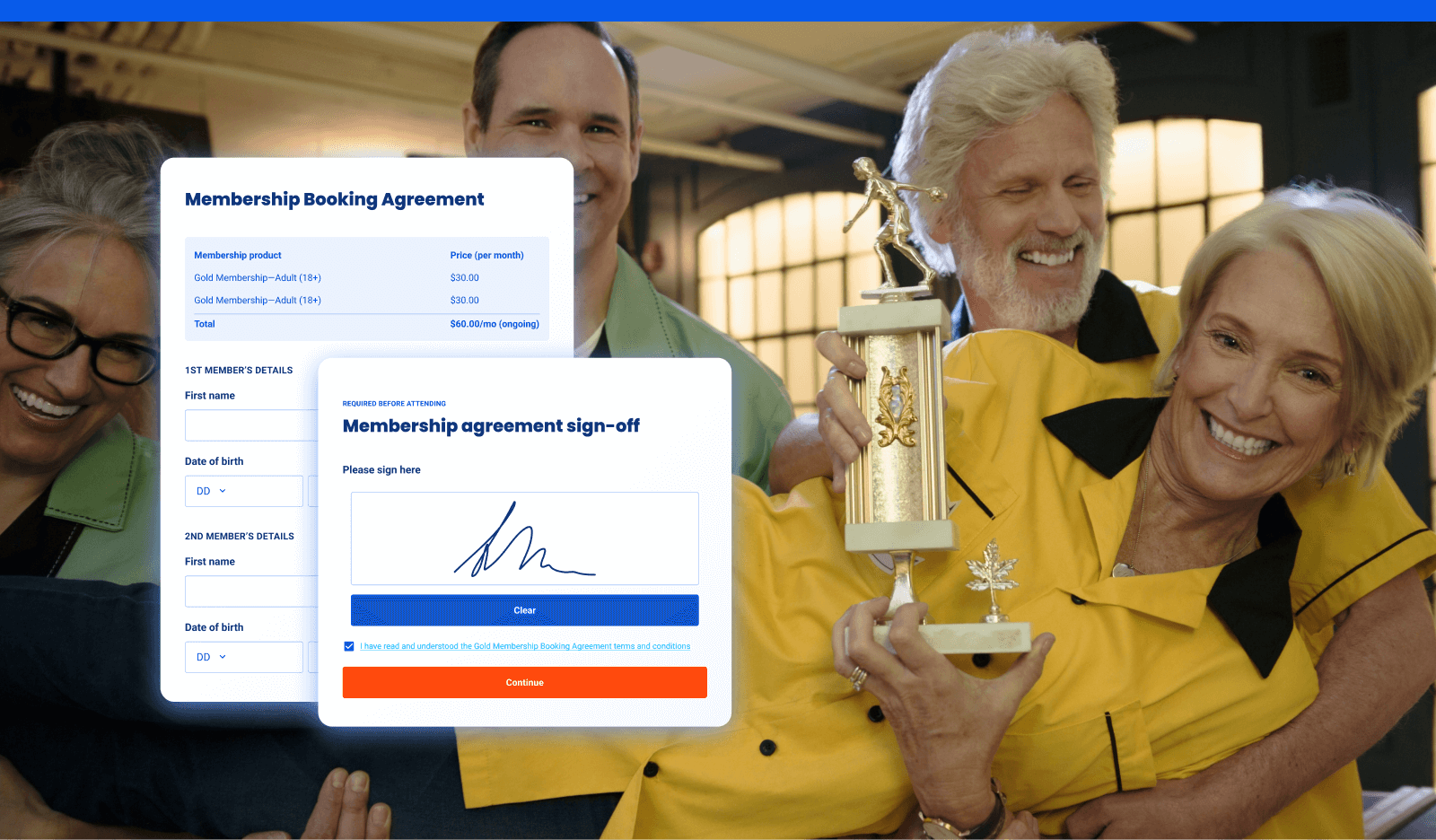
Membership software helps you turn occasional visits into steady recurring revenue. Look for support for recurring billing, member discounts, attendance tracking, renewal reminders, and automatic recognition at POS.
Guest feedback surveys
Built-in feedback tools make it easier to understand what guests enjoyed and where friction appeared. Look for automatic post-visit surveys, simple scoring, and the ability to respond or trigger service recovery when someone reports a poor experience.
Capacity management
The right system prevents overbooking by managing capacity across lanes, party rooms, and attractions. Dynamic availability settings keep your calendar aligned with real-world limits, staffing levels, and lane configurations.
Analytics and reporting
With analytics and reporting dashboards, you can check how key revenue, guest, membership, and party booking metrics are trending, allowing you to easily see where you’re excelling and what you may need to investigate further.
Mobile food and beverage ordering
Mobile ordering lets guests place orders from their lane without leaving the fun. This often increases order size and keeps lines shorter. Orders flow directly to your POS and kitchen systems with minimal manual handling.
Gift cards
Support for gift cards drives future visits around holidays and celebrations. Guests can redeem cards easily online and in person, while your team has clear visibility into balances and breakage.
Multi-venue management
For operators with more than one location, centralized controls become essential. Standardize menus, products, and pricing, allow local overrides when needed, manage user permissions, and view consolidated reporting across all venues.
CRM and guest engagement
A built-in CRM brings guest profiles, visit history, memberships, communication preferences, and waivers into one place. Automated messages for birthdays, abandoned bookings, renewals, and thank-yous help encourage repeat visits without piling work onto your team.
How to evaluate bowling alley software
Use this checklist to guide your demos and trials so you can compare vendors on what truly matters.
- Scalability: Can it handle your current venue and future expansion, including multi-site compatability?
- Ease of use: Can staff learn it quickly, and can guests complete bookings in minutes without confusion?
- Conversion and upsells: Does the checkout flow support bundles, and seamless add-ons?
- Integrations and APIs: Are connections available for marketing tools and customised options?
- Support and success: Are 24/7 support and onboarding resources available?
- Implementation and data migration: What is the actual timeline, and how are products, customers, waivers, and memberships imported? Is there a sandbox or testing environment?
- Security and compliance: Look for strong payment security, data protection, privacy controls, user permissions, and audit logs.
- Reliability and performance: Ask about uptime, real-world scale, kiosk performance, and offline handling during network issues.
- Pricing transparency: Clarify subscription costs, setup fees, hardware or terminal costs, add-ons, payment processing rates, and contract terms.
- Proof and fit: Request case studies, references, and demo flows that match your use cases, such as parties, leagues, or corporate events.
Bowling-specific use cases to test in your demo
Have vendors walk through live examples so you can see how the software functions in real, day-to-day operations. Here are some scenarios to ask about:
- Party booking flow: Simulate a guest booking a party online, including headcount-based pricing, room or lane selection, add-ons like food or arcade cards, deposits, and payment links. Notice how smooth the process is for guests and staff.
- League or membership flow: Walk through signing up a membership. Pay attention to recurring billing, POS perks for members, how renewals and lapses are handled, and staff notifications or prompts.
- Peak-night operations: See how the system handles a busy evening with kiosk check-ins, digital waivers at scale, fast POS transactions, and lane assignment to keep guests moving efficiently.
- Food, beverage, and arcade: Follow a group ordering scenario from start to finish. Look at combo bundles at checkout, inventory tracking, guest tabs, and arcade card integration, noting how everything works together.
- Reporting: Review sample reports on bookings, party conversion, F&B, repeat visits, and membership metrics to understand performance without heavy manual work.
- Multi-venue management: Explore managing multiple locations, including central updates, location-specific overrides, and consolidated reporting, to see how operations stay consistent while allowing local flexibility.
Common pitfalls to avoid
Predictable pitfalls can slow staff, frustrate guests, and limit growth. Identifying them early prevents costly mistakes.
- Disconnected tools: Using separate systems creates data silos, errors, and extra manual work. Opt for an all-in-one platform or a tightly integrated stack to keep operations smooth.
- Weak mobile checkout: Slow or clunky mobile booking frustrates guests and reduces conversion. Focus on mobile-first flows that let guests complete reservations in minutes.
- Hidden fees: Unexpected costs for onboarding, terminals, add-ons, or payment processing can blow your budget. Clarify all fees upfront and factor them into your total cost of ownership.
- Limited reporting: Without clear insights into lane utilization, party revenue, or membership trends, it’s hard to optimize operations. Choose software with actionable, easy-to-access reports.
- No self-service: Relying solely on staff for check-ins and updates leads to long lines and bottlenecks. Incorporate kiosks or online options so guests can manage their visits independently.
- Poor support hours: Limited vendor support during evenings, weekends, or peak nights leaves staff stranded. Make sure support aligns with your busiest operating times.
- Rigid contracts: Inflexible agreements can trap you in plans that don’t fit seasonal changes or multi-location growth. Look for flexible contracts that scale with your business needs.
Set your bowling alley up for long-term success
Now that you know what to look for in bowling alley software, the next step is seeing it in action. ROLLER brings online bookings, party workflows, POS, digital waivers, memberships, guest feedback, and analytics together in one platform, reducing tools for staff and creating a smoother experience for guests.
Want to see how it all works in practice? Book a demo to see ROLLER in action.
Disclaimer: This article is not intended as legal advice. Venues should coordinate with the appropriate bodies for specific information about regulations and guidelines.



.webp)
.jpg)
.jpg)