
Museums create memorable experiences for visitors, but delivering those experiences consistently requires well-coordinated operations behind the scenes. From ticketing and memberships to retail, reporting, and visitor flow, many moving parts need to work together smoothly.
Museum software helps bring these operations into one connected system. As visitor expectations rise and teams work with tighter resources, the right platform can streamline daily tasks, improve the guest experience, and give staff better visibility into performance.
In this guide, we’ll break down what to look for in museum software, the common pitfalls to avoid, and how to choose a system that strengthens your operations while elevating the visitor experience.
What is museum software?
Museum software is a platform that helps museums manage key operations such as visitor admissions, online ticketing, memberships, retail, and reporting in one system. It supports the day-to-day running of the venue while helping staff deliver a better experience to every visitor.
When these systems are connected, staff spend less time reconciling data and more time focusing on programming, exhibitions, and guest engagement.
How museum software improves the visitor experience
When booking, entry, group coordination, and reporting all work together, the experience becomes smoother for both guests and staff.
For visitors, that often means shorter lines, clearer booking information, and a less crowded environment. Online ticketing and timed entry help spread arrivals throughout the day, while digital check-in tools reduce friction at the door. For museums that run school programs, private tours, or member events, software can also simplify group bookings and reduce the manual coordination that often slows teams down.
For operators, those same systems provide better visibility into what is happening across the venue. Connected reporting helps leadership understand attendance patterns, monitor revenue, and make more informed decisions about programming, staffing, and promotions.
Types of museum software tools
Not all museum management software serves the same purpose. Understanding the core categories helps you pinpoint what your institution truly needs instead of investing in tools that don’t align with your day-to day-operations.
Online booking tools
Online booking software manages online and on-site ticket sales, timed entry, and capacity controls. It functions as the front door of your operation, shaping the first impression and setting the tone for the entire visit.
Point-of-sale systems
Point-of-sale (POS) systems handle transactions at the front desk, and in gift shops and cafés. When retail and ticketing data live in the same platform, you gain a complete and accurate view of on-site revenue.
Booking and timed entry tools
Museum booking software and timed entry tools allow visitors to reserve specific time slots in advance, helping institutions manage crowd flow and align staffing with demand. These tools are especially valuable during peak seasons, popular exhibitions, and high-traffic events where capacity control matters most.
Membership and CRM software
Membership and CRM software support long-term relationships with your audience. A strong CRM tracks visit history, automates renewal reminders, and provides insight into your most engaged supporters.
Reporting and analytics
Reporting and analytics tools bring operational data together into clear, actionable insights. From daily revenue to exhibit attendance and membership conversion rates, this visibility helps leadership make informed decisions with confidence.
Collection management systems
Collection management software focuses on cataloging, documenting, and tracking objects within your collection.
What features should museums look for?
When comparing software platforms, think about how each feature supports your team and visitors.
|
Feature |
What it does |
Why it matters |
|
Allows visitors to purchase tickets online before arriving and select their preferred visit date or time. |
Reduces queues at the entrance, helps staff plan for visitor demand, and gives guests a smoother start to their visit. |
|
|
Lets museums set specific arrival windows for visitors or exhibitions. |
Prevents overcrowding, improves crowd flow, and creates a more comfortable experience for guests and staff. |
|
|
Processes purchases in gift shops, cafés, and add-on experiences while connecting those transactions to admissions data. |
Speeds up checkout, reduces manual reconciliation between systems, and gives museums a clearer view of on-site revenue. |
|
|
Stores visitor profiles, membership details, visit history, and communication preferences in one place. |
Helps museums build stronger relationships with visitors through targeted communications, membership renewals, and loyalty programs. |
|
|
Provides dashboards and reports showing ticket sales, attendance patterns, membership performance, and revenue trends. |
Gives you the data and insights you need to make informed decisions about pricing, staffing, exhibitions, and programming. |
The features that matter most will depend on your museum’s size and operating model. For example, a science center running daily school groups has different needs from a smaller gallery with a strong local membership base.
Common challenges museum software should solve
Many museums begin evaluating new software when operational friction starts slowing the team down. Small inefficiencies across ticketing, memberships, reporting, and guest services can quickly add up during a busy day.
Modern museum software is designed to remove these pain points and bring key workflows into one connected system.
Fragmented tools
In many museums, admissions, memberships, retail sales, and reporting are managed across separate systems. Staff end up switching between platforms and manually reconciling data that should connect automatically.
When these systems aren’t integrated, it increases the risk of errors and makes it harder to get a clear view of how the museum is performing.
Manual workflows
Manual processes can slow teams down and create unnecessary work. Tasks like updating spreadsheets, reconciling ticket sales across systems, or tracking attendance by hand take time away from more valuable work.
Software that automates these processes helps staff focus on delivering great visitor experiences instead of managing paperwork.
Limited data visibility
Without clear reporting, it can be difficult to understand what is actually driving attendance and revenue. Questions like which days attract the most visitors, which exhibits draw the most interest, or how membership renewals are trending become harder to answer.
Modern reporting tools give leadership teams the insights they need to make informed decisions about programming, staffing, and pricing.
Accessibility and inclusivity requirements
Museums serve diverse audiences, and software should support inclusive visitor experiences. This may include accessible booking flows, compatibility with screen readers, flexible ticketing options, and clear digital interfaces.
Well-designed systems help ensure every visitor can plan and enjoy their experience more easily.
How to evaluate museum software
Choosing museum software is a long-term operational decision, so it is worth slowing down and evaluating each option carefully. As you compare platforms, focus on how the system will function in your real environment, not just how it performs in a polished demo.
Ease of use
Ease of use matters more than an extensive feature list. A platform your team can navigate confidently every day will deliver far more value than one packed with capabilities but burdened by a steep learning curve. If staff hesitate to use it, efficiency gains disappear quickly.
Scalability
Scalability deserves attention even if expansion feels far off. Opening a second location, launching a new exhibit space, or increasing attendance should not require replacing your entire system. The right software grows alongside your institution.
Integrations
Integrations determine how seamlessly new software fits into your existing ecosystem. Confirm compatibility with your payment processor, accounting software, and email marketing tools before signing a contract. When systems connect smoothly, reporting is cleaner and workflows stay efficient.
Support and onboarding
Support and onboarding reveal a great deal about a vendor’s long-term reliability. Look for structured training, clear implementation timelines, and responsive support that aligns with your operating hours. Strong onboarding reduces disruption and builds confidence from day one.
Accessibility
Accessibility should be a core evaluation criterion, not an afterthought. Ask vendors how their platform supports visitors with disabilities and whether the booking flow works with screen readers and other assistive technologies. Software should reflect your institution’s commitment to inclusion.
Real-world testing
Before making a final decision, test real scenarios during the demo process. Run through a school group booking, simulate a busy weekend check-in, and generate a revenue report. Practical testing will quickly reveal how the system performs under everyday pressures and whether it truly meets your needs.
Real world examples
ExpERIEnce Children’s Museum
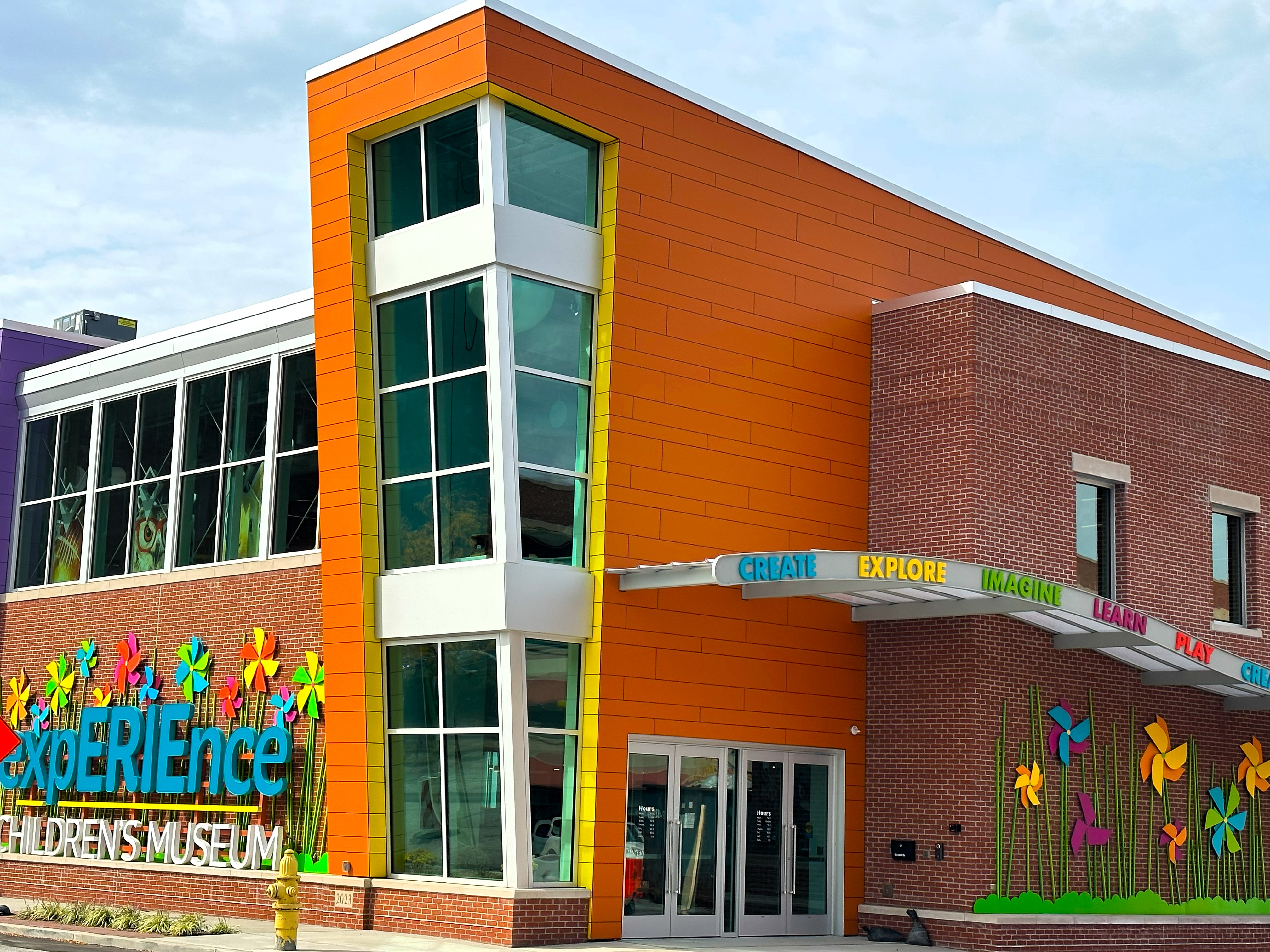
ExpERIEnce Children’s Museum in Pennsylvania needed a simpler way to manage admissions, birthday parties, memberships, and digital gift cards as it prepared for a major expansion. Before switching systems, the team had to manually transfer membership data into their POS, and one promotion resulted in 1,500 memberships being entered by hand over six weeks.
After moving to ROLLER, the museum introduced timed ticketing to better manage daily capacity, saved up to an hour per party booking through online automation, and generated $60,000 in gift card and membership revenue in a single month. The museum also reduced the admin involved in memberships by moving away from physical cards and integrating more of the visitor journey online.
Read more: How ExpERIEnce Children's Museum sold $60,000 in gift cards and memberships in a month
Museum of Play and Art (MoPA)
The Museum of Play and Art in Geelong needed a ticketing system that could support multiple admission types, timed sessions, memberships, gift cards, and special events like adults-only nights. Timed ticketing became especially important because the museum wanted to manage capacity throughout the day rather than allow large crowds to arrive at once.
With ROLLER, MoPA was able to support a wider range of admission products, improve online ticketing, and better align attendance with venue capacity. The system also helped connect ticketing with food and beverage operations and gave the museum more flexibility to expand how it structured admission.
Read more: How the Museum of Play and Art expanded its admission offerings
THE LUME
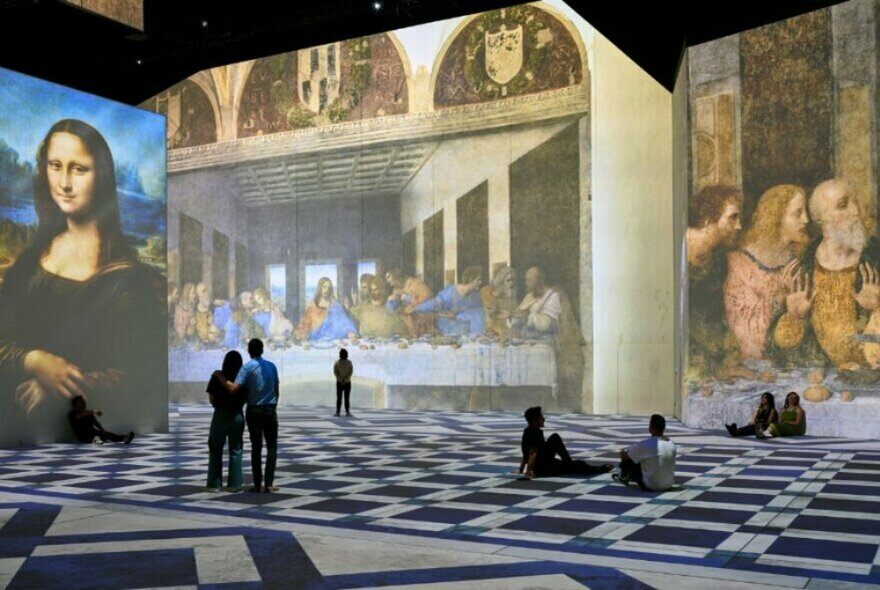
THE LUME adopted ROLLER to gain more flexibility over pricing, packaging, and online guest experiences. By building timed add-on experiences directly into checkout, the team increased uptake of premium experiences and improved revenue performance without adding unnecessary friction for visitors.
This resulted in a 7% increase in online revenue, driven by add-on experiences. The LUME also used reporting and guest feedback tools to test pricing decisions, monitor perceived value, and better understand the performance of its campaigns and upsells.
Read more: How THE LUME Grew Online Revenue by 7%
Next steps
Choosing museum software is ultimately about finding a system that supports the way your institution operates day-to-day while giving you the flexibility to grow over time.
The right platform should help your team manage ticketing, memberships, retail, group bookings, and reporting in one place. When these tools work together, staff spend less time switching between systems and more time focusing on visitors and programming.
Modern platforms like ROLLER bring these capabilities together in a single system designed for high-volume attractions. From online ticketing and timed entry to POS, memberships, digital waivers, and reporting, connected tools help museums streamline operations while delivering smoother experiences for guests.
If you're exploring new museum software, seeing how a platform works in real scenarios is the best place to start. Book a demo today to see how ROLLER can help support your museum.
Frequently asked questions about museum software
What is museum software?
Museum software is a digital platform that helps institutions manage ticketing, admissions, memberships, retail sales, reporting, and overall operations in one connected system. It streamlines day-to-day tasks while supporting a better experience for visitors and staff.
What software do museums use?
Museums use software that typically includes ticketing and timed entry tools, point-of-sale systems, booking platforms, CRM and membership management, reporting dashboards, and sometimes collections management systems. Many institutions choose integrated platforms that combine these functions.
Is museum software only for collections management?
No, museum software is not only for collections management. While collections systems focus on cataloging and tracking artifacts, most modern platforms also support visitor-facing tools like ticketing, POS, group bookings, memberships, and operational reporting.
How do I choose the best museum software?
To choose the best museum software, evaluate ease of use, scalability, integrations, support, accessibility, and real-world performance. Focus on how well the system fits your current operations and how it will grow with your institution over time.
Related articles

Customer Stories
Museum of Play and Art expands admission offerings with ROLLER
March 15, 2022
|
7 mins
.webp)
.jpg)
.jpg)